
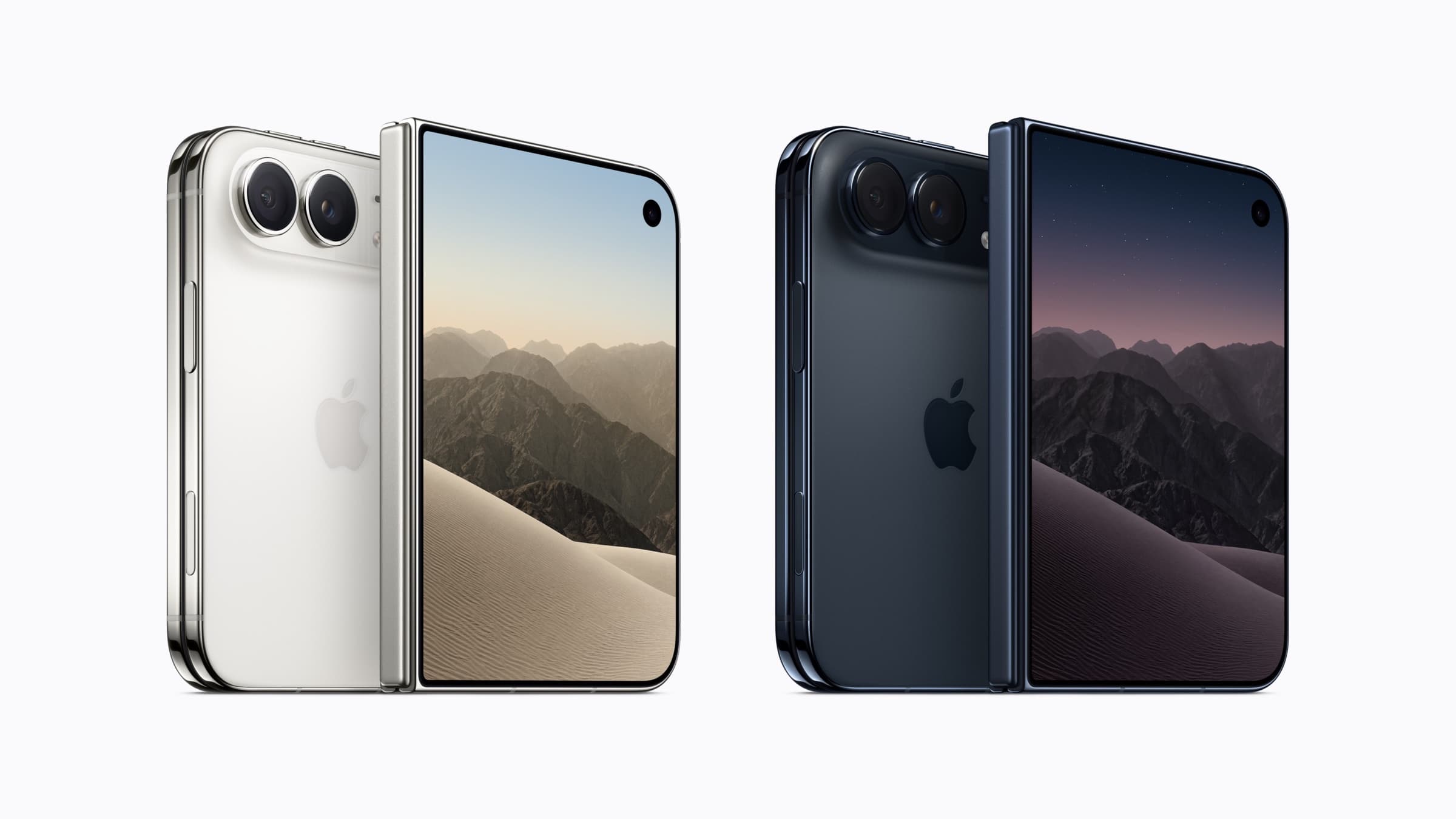
iPhone Duo: Is your app ready for the foldable iPhone?

Every app runs on Apple's foldable iPhone Duo, but how well depends on how it was built. What changes, what to test and why April 2027 matters.
Every app runs on Apple's foldable iPhone Duo, but how well depends on the version of Apple's tools it was last built with. An app built with the iOS 26 SDK or earlier opens as a window in the middle of the large inner display, with empty space around it. An app built with the iOS 27.1 SDK fills both displays and gets the new side-mounted bars.
iPhone Duo goes on sale on 23 October 2026, in Czechia as well. You don't need a separate version of your app for it. You do need to know how the app behaves when the phone is folded, unfolded and resized, because Apple's rules make that question unavoidable from April 2027.
This article explains what changes, what tends to break in business apps and what to plan. Apple's own pages are linked at the end. For the rest of this year's release, see iOS 27: What is new.
What iPhone Duo is
iPhone Duo is Apple's first foldable iPhone, announced on 9 September 2026. Closed, it has a 5.4-inch outer display. Opened, it has a 7.6-inch inner display, the largest on any iPhone. Apple says both displays share the same aspect ratio.
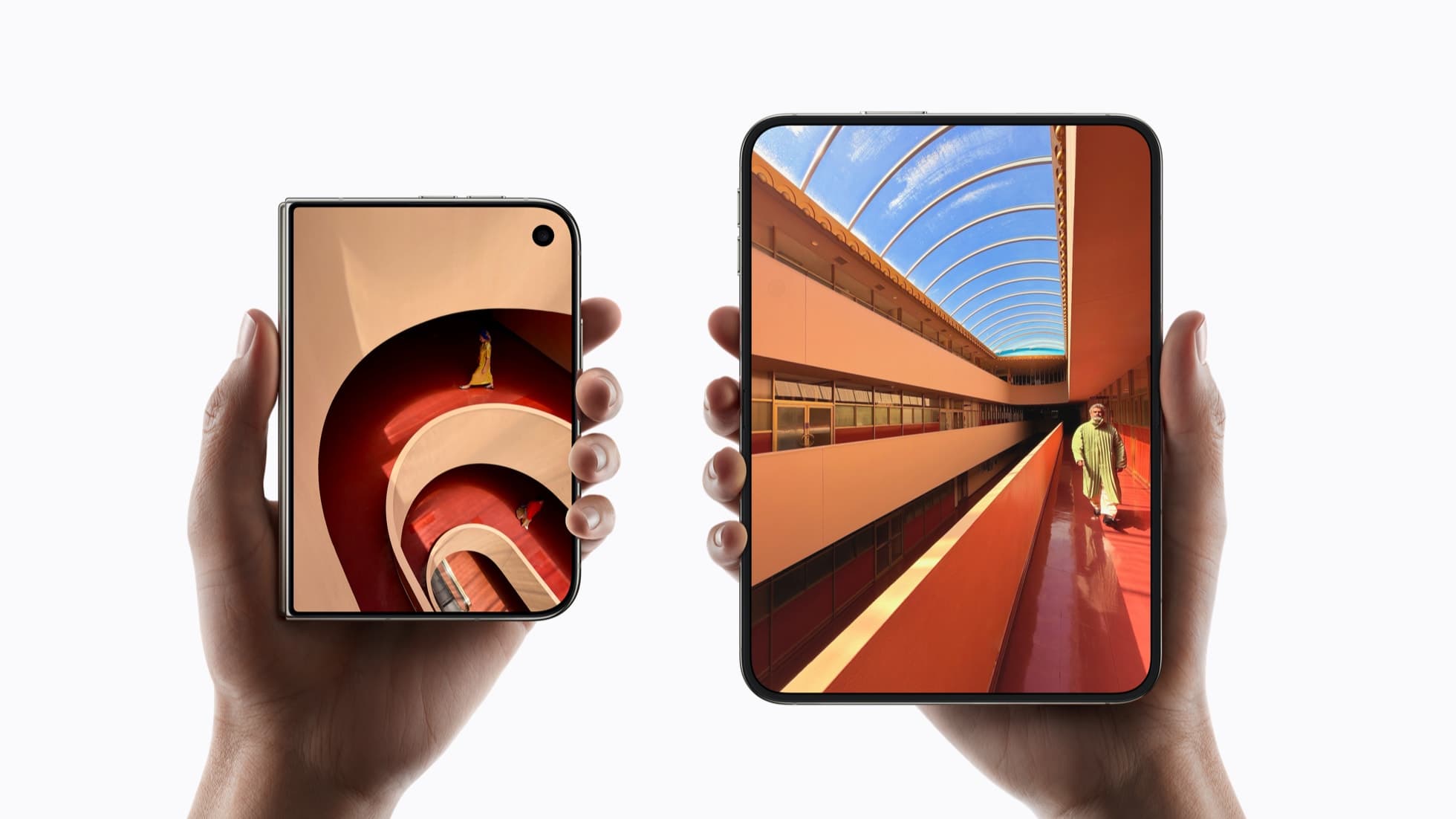
What matters for an app:
- Many shapes, one app. People use the phone closed, open, half-folded like a book, laid on a table or standing on its edge, and rotate it in each of these positions. Apple calls them poses.
- Controls on the side. On the outer display, and on the inner display in landscape, iOS moves toolbars, tab bars and navigation buttons from the top and bottom of the screen to the side.
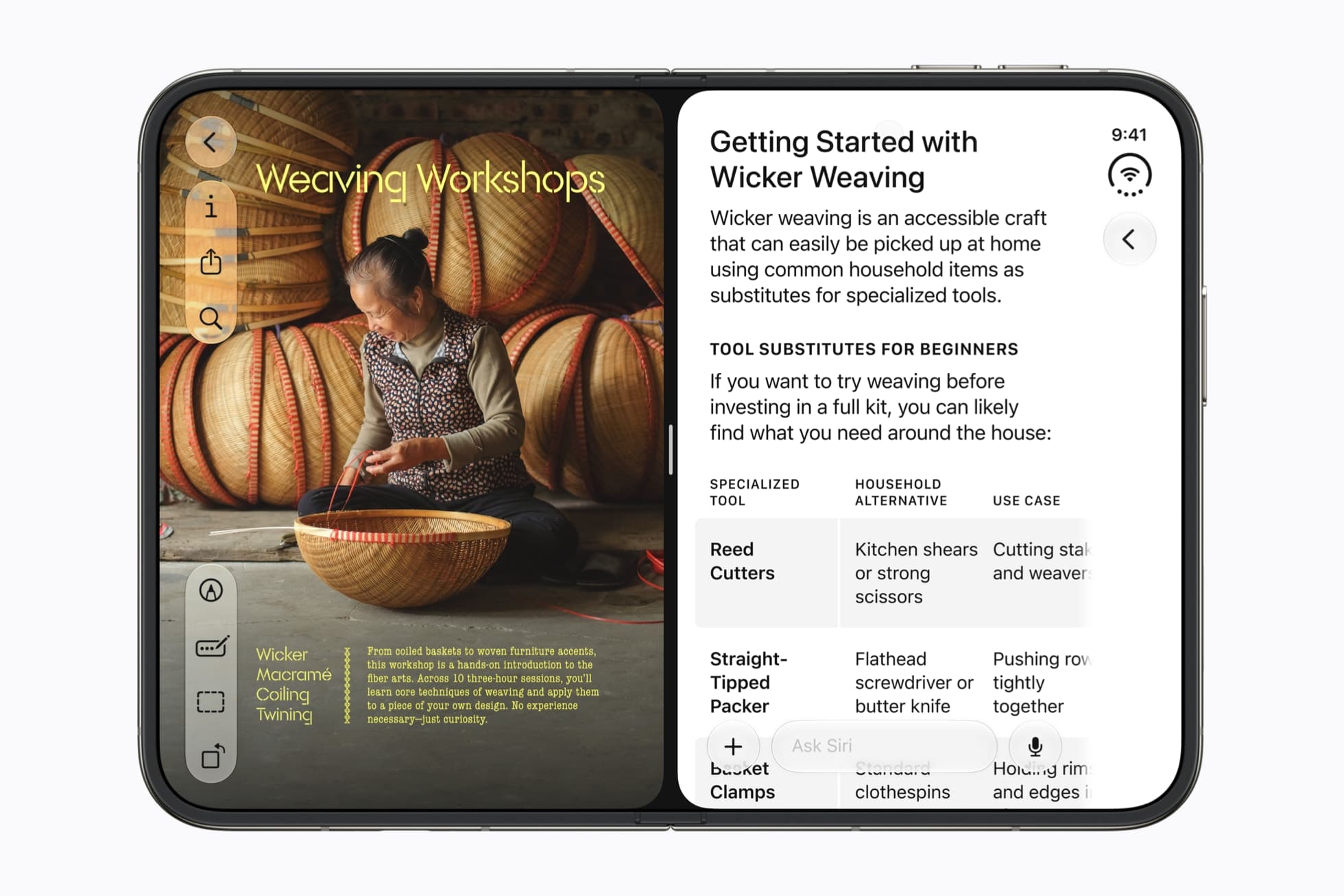
- Two apps side by side. Split View lets people use two apps next to each other on the inner display, the first time this is possible on iPhone.
- Touch ID, not Face ID. Apple's specifications list a fingerprint sensor in the side button and no Face ID.
- Dates and price. Pre-orders open on 16 October and sales start on 23 October. Apple lists it from $1,999 in the US, and its Czech store from 54,990 Kč.
How your app looks on it today
Apple describes three cases. Which one applies depends on the SDK the app was built with:
| Built with | What Apple says happens on iPhone Duo |
|---|---|
| iOS 26 SDK or earlier | The app runs but doesn't adapt to every layout. Open, it sits in the centre of the inner display with empty space around it. Closed, its content sits to the left of the status bar and camera. |
| iOS 27 SDK | The app resizes to fill most of the inner display, but still keeps clear of the status bar on the right edge. |
| iOS 27.1 SDK or later | The app uses the full display, with toolbars and tab bars shown vertically below the status bar. Apple calls this optimised for iPhone Duo. |
The last step comes with a condition. Before shipping a build with the iOS 27.1 SDK, check that the app's content still works when its bars move to the side. Xcode 27.1, which brings that SDK, reached release candidate on 5 October, and App Store Connect already accepts apps optimised for iPhone Duo.
Why April 2027 matters even if you do nothing
Two of Apple's rules take effect in April 2027:
- New builds need the iOS 27 SDK. From April 2027, apps uploaded to App Store Connect must be built with the iOS 27 SDK or later. Apple says apps built that way resize dynamically on iPhone Duo. Your first update after that date will resize, whether anyone planned for it or not.
- iPhone Duo screenshots become required. From April 2027, every app submitted must include screenshots for iPhone Duo. Apple has published the sizes: 1398 × 2034 pixels for the outer display and 2007 × 2853 pixels for the inner one, in portrait or landscape.
So the real choice is when to look at iPhone Duo: in a planned update, or under pressure when an urgent fix has to ship.
What tends to break in business apps
Apple names the cause plainly: hardcoded screen sizes, fixed orientations and assumptions about the device can leave content stretched, clipped or misplaced. The examples below are ours, drawn from Apple's checklist and typical business apps:
- Forms and long tasks. The app changes size mid-task when someone opens or folds the phone. Apple asks that features and state stay the same across displays. A half-completed loan application, a payment confirmation or an inspection report must not reset or lose what was typed.
- Tables, charts and dashboards. A layout designed for one iPhone width can stretch on the wide inner display or crowd on the outer one. When the phone is half-open, elements can land on the fold. Apple suggests an even number of columns in grids, so content divides cleanly.
- Images and video that fill the screen. Pictures cropped to fill the display can lose their important part on the wider screens.
- Custom navigation bars. iOS moves bars to the side only when the app uses the system's own navigation containers. A tab bar or toolbar the app draws itself stays where it is.
- Camera steps. Think of scanning an ID card, a selfie for an identity check or a photo of a delivered parcel. When the phone is opened, closed or rotated, the app can move to the other display, and the camera it uses may now face the other way.
- Sign-in with biometrics. If sign-in screens or settings mention only Face ID, check their wording and the logic behind them, because iPhone Duo uses Touch ID.
- Narrow widths in Split View. A person can run your app next to another one, for example a banking app beside an online shop. The app has to work at half the width of the inner display.
If your app is built with React Native or Flutter
Apple's guidance is written for its own frameworks, SwiftUI and UIKit. The underlying rules still apply to cross-platform apps: build with the current Xcode, size the layout from the space the app actually has rather than from the screen, and test every pose.
The side-mounted bars are the part that may not come automatically. Apple ties them to the system's navigation containers. Many React Native and Flutter apps draw some or all of their navigation themselves, so on iPhone Duo those bars may stay at the top and bottom of the screen. This is our reading of Apple's documentation, not something either framework has documented, so check your framework's release notes too.
Moving to a new Xcode version can also require a framework update first. Plan it as part of a regular release. For what one codebase covers in general, see React Native for business apps.
Is it worth optimising now?
For most business apps: test now, fix what is broken, and leave the rest for the next planned update. At its price, iPhone Duo is unlikely to be in many of your users' hands in its first months. The work Apple asks for isn't specific to one device, though. Apple notes that an app already prepared to resize on iPad, on Mac or in iPhone Mirroring is well on its way.
It is worth moving sooner if:
- your users are likely early buyers, for example managers who approve payments or check reports on the go;
- your company buys phones for its staff and might choose iPhone Duo;
- the app's main task depends on the camera or on a long form.
What to do now
- Look at the app on iPhone Duo. Your developers can run it in the iPhone Duo simulator in Xcode 27.1 and check each pose: closed, open, half-folded and rotated.
- Run Apple's automated check. Apple has added a skill to Xcode's coding assistant that scans a project for the patterns that break on iPhone Duo. Apple says it finds most issues, not all of them, so review the result against Apple's checklist.
- Test the tasks that matter. Fold and unfold the phone in the middle of sign-in, a form, a payment and a camera step. Nothing should be lost.
- Check navigation and sign-in. Look for custom bars that stay where they are, and for sign-in that assumes Face ID.
- Plan the update before April 2027. Schedule the build with the iOS 27.1 SDK and the new screenshots as part of a regular release, not an emergency.
If you'd like a second opinion on how your app behaves on iPhone Duo, the mobile app development page describes how we work, and a short summary through the contact page is enough to start.
Sources
Checked on 7 October 2026.
- Apple Newsroom, 9 September 2026: Apple unveils iPhone Duo
- Apple: iPhone Duo technical specifications
- Apple (Czechia): iPhone Duo and Buy iPhone Duo, for Czech availability and price
- Apple Developer News, 9 September 2026: App Store submissions now open for the latest OS releases
- Apple Developer News, 5 October 2026: Prepare and submit your apps for iPhone Duo
- Apple Developer: Three steps to make your app shine on iPhone Duo
- Apple Developer Documentation: Preparing your app for iPhone Duo
- Apple Human Interface Guidelines, 9 September 2026: Designing for iPhone Duo
- App Store Connect Help: Screenshot specifications
- Apple Developer: Releases, for the Xcode 27.1 release candidate of 5 October 2026
All images in this article, including the header, are from Apple Newsroom.