
Tolaron RadarTechnology
iOS 27: What is new
Siri AI, on-device models, Liquid Glass and parental controls: what iOS 27 changes for companies with an iPhone app, and what the EU does not get yet.

On this page
iOS 27 reached iPhones on 14 September 2026, following its announcement at WWDC on 8 June. Its headline feature is Siri AI, a rebuilt assistant that understands onscreen content and acts inside apps.
Siri AI launched as an English-only beta and isn't initially available on iPhone in the EU. For a company with an iPhone app, there are other changes to assess now: App Intents, AI tools for developers, adjustable Liquid Glass and parental controls.
This article summarises what changed and what it means for an app. Apple's own announcements are linked at the end.
Siri AI and where it is available
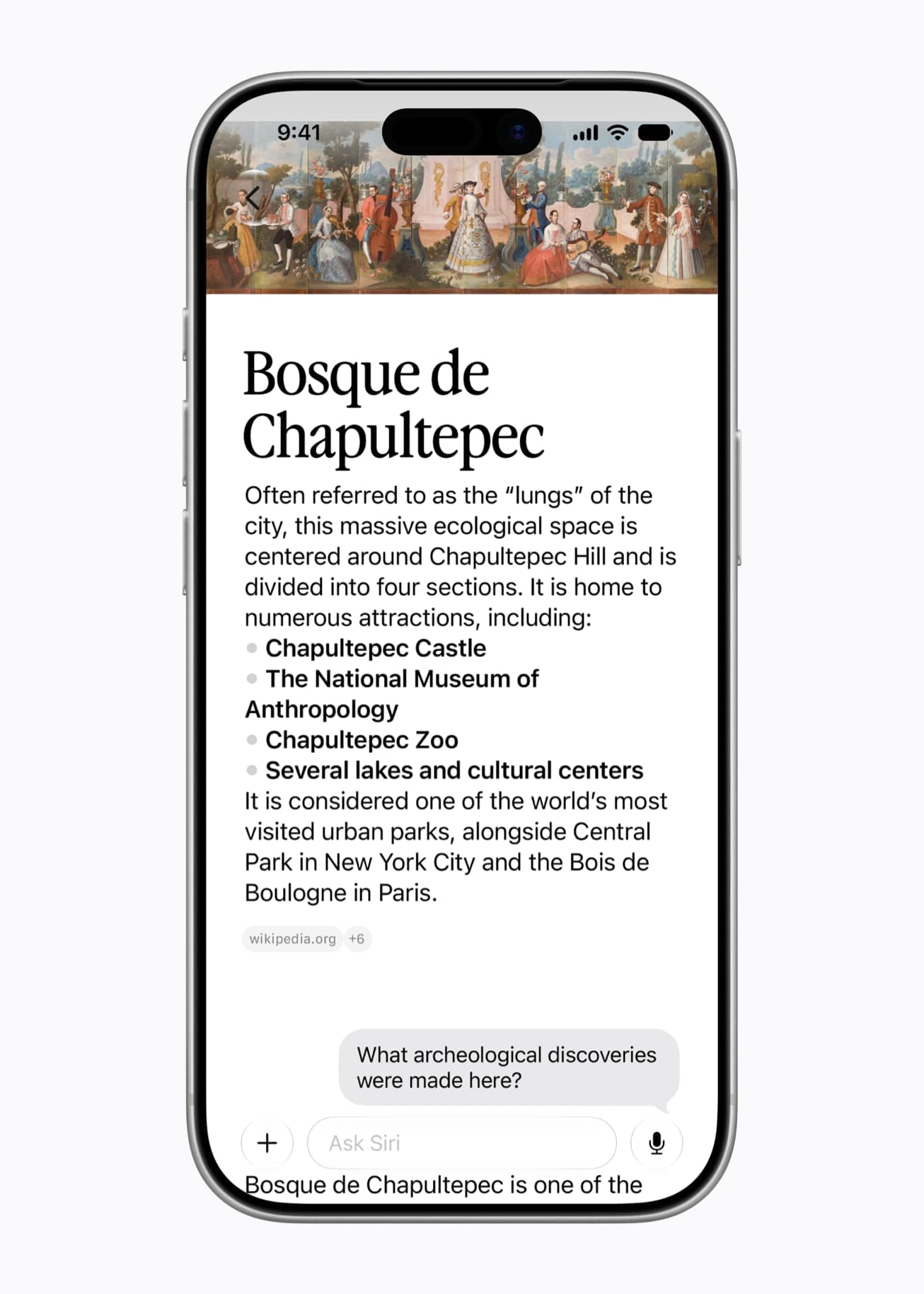
Apple describes Siri AI as an assistant that understands personal context and onscreen content, and can take more actions across apps. It can search a user's messages, emails and photos and answer questions over several conversational turns.
A new Siri app keeps past conversations and syncs them through iCloud.
Availability is narrower than the announcement suggests:
- Beta, English first. Siri AI launched in beta in English. Apple lists French, Japanese, Korean, Portuguese and Spanish for October.
- Not on iPhone in the EU yet. Apple says Siri AI will not be available initially in the EU on iOS, iPadOS and watchOS, cites the Digital Markets Act, and gives no timeline. In the EU it is available on Mac and Apple Vision Pro.
- Recent iPhones only. Like the rest of Apple Intelligence, it needs an iPhone 15 Pro, an iPhone 15 Pro Max, or an iPhone 16 or later.
- Daily limits. Apple says features that rely on server-side models, Siri AI included, are subject to daily usage limits, and that expanded access will be available for a fee in the future.
Apple Intelligence supports English and more than a dozen other languages. Czech is not one of them, which matters for any app whose users in Czechia run their phones in Czech.
What Siri AI means for your app
Siri reaches an app only through what the app describes with App Intents: the actions it can perform and the content it holds. iOS 27 extends that framework in three ways that matter for business apps:
- View Annotations map what is on screen to your app's own records, so a user can ask about, or act on, the item in front of them.
- Intent and entity schemas let Siri match everyday requests to your actions without predefined phrases, and add your app's content to the Spotlight semantic index that Siri draws on.
- An App Intents testing framework checks an integration through the real system paths, without UI automation.
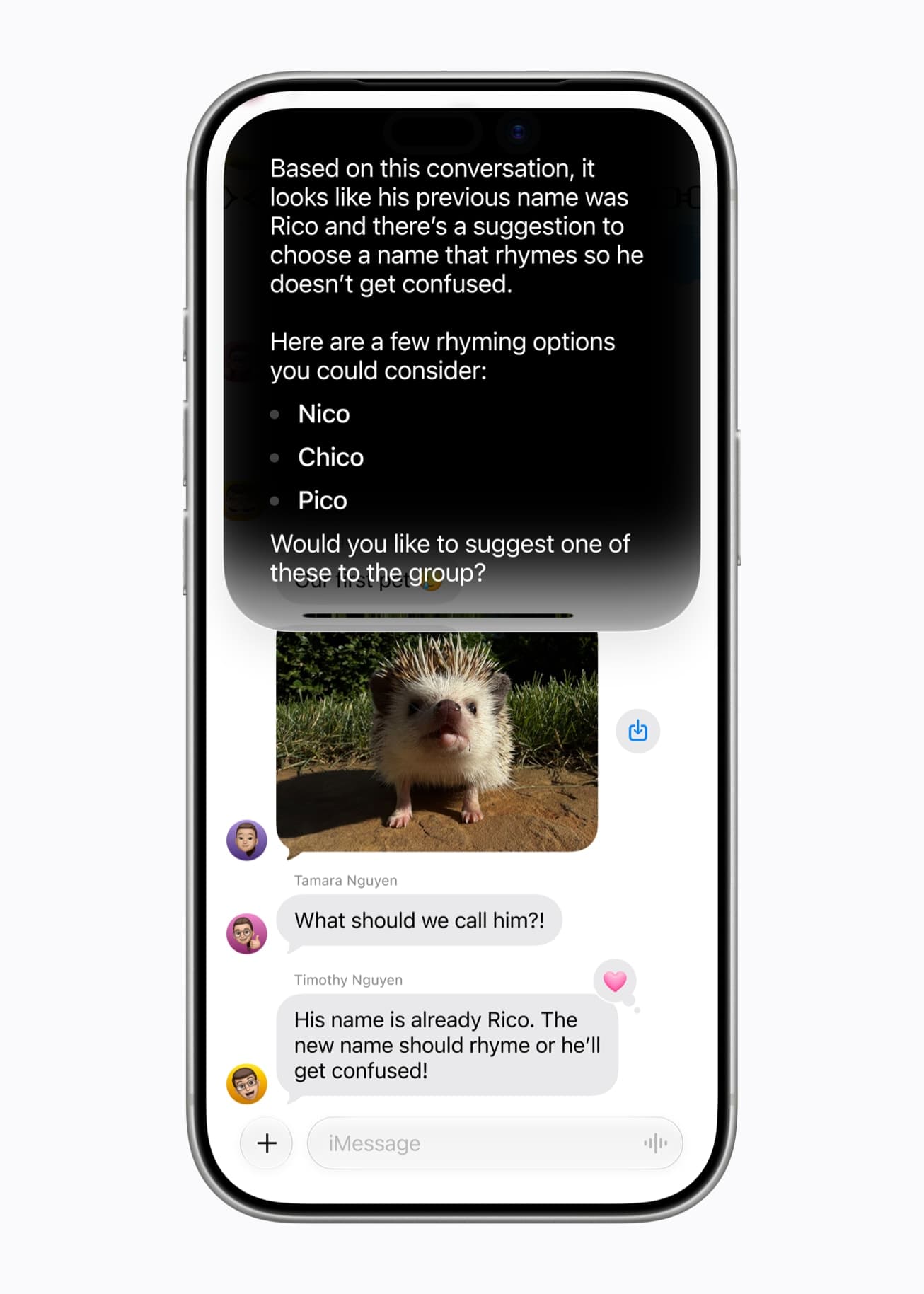
Apple names WhatsApp and Audible among the apps that already work with Siri AI. For a fintech or healthcare app, start with two or three useful, safe tasks. Examples might be checking a payment or finding an appointment. Decide what authentication and confirmation each action needs.
Existing App Intents for Shortcuts or widgets provide a starting point. Those system integrations remain useful in the EU, but a Siri AI integration still needs its own testing when it becomes available.
On-device AI for developers
iOS 27 adds on-device and cloud options for AI features. The choice determines where data is processed:
- The Foundation Models framework gives direct access to the on-device model behind Apple Intelligence. It now accepts images alongside text, can call on-device tools such as text recognition and barcode reading, and can also connect to cloud models such as Claude or Gemini, or to a custom provider.
- Apps in the App Store Small Business Program with fewer than 2 million total first-time downloads can use Apple's next-generation models on Private Cloud Compute at no cloud API cost.
- Core AI is a new framework for running a company's own models on the device, with no server dependency and no per-token cost.
On-device processing can keep inference data on the phone. Reading a document, classifying a receipt or summarising a form may fit this model. Cloud processing is a separate choice and needs a review of where data goes.
Check model capability and device availability for each project. The Foundation Models on-device model is available only where Apple Intelligence is supported; using the framework doesn't by itself make a feature suitable for sensitive data.
Liquid Glass, now adjustable
Liquid Glass, the translucent design Apple introduced with iOS 26, gets refined materials and updated tab and navigation bars in iOS 27. Users can also adjust it with a new slider in Settings, from ultra-clear to fully tinted.
Test both ends of the Liquid Glass slider. System bars can look different from one user to the next. Check custom text, icons and brand colours placed on or beside them, especially where they depend on a particular background.
Parental controls and child accounts
Parents setting up a child account can now control:
- Available apps: choose which apps the child can use.
- Time allowances and schedules: set daily limits for Entertainment, Games and Social Media apps, and when apps can be used.
- New contacts: require approval before a child contacts someone new.
- Web browsing: Ask to Browse requires permission before opening each new website in Safari.
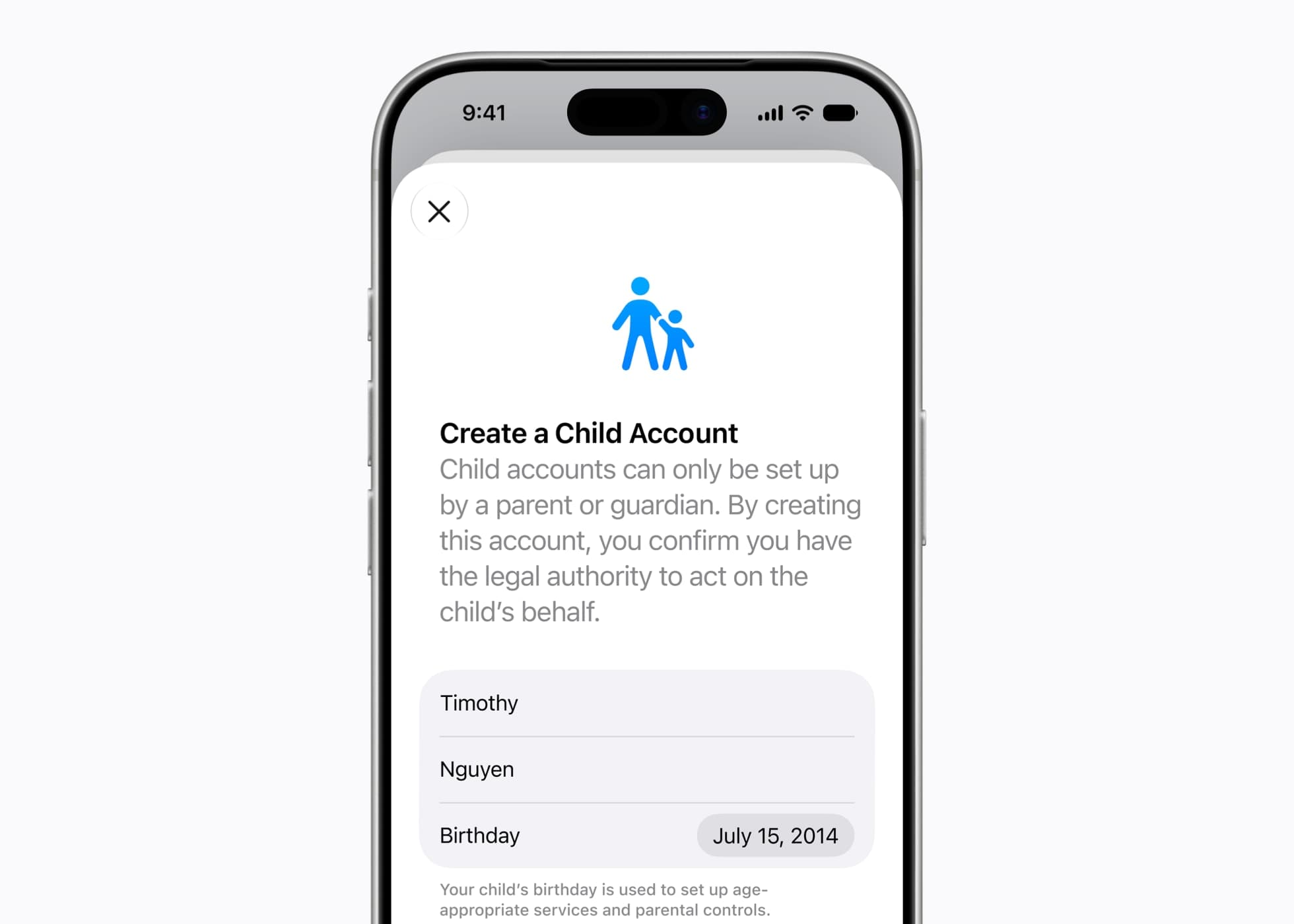
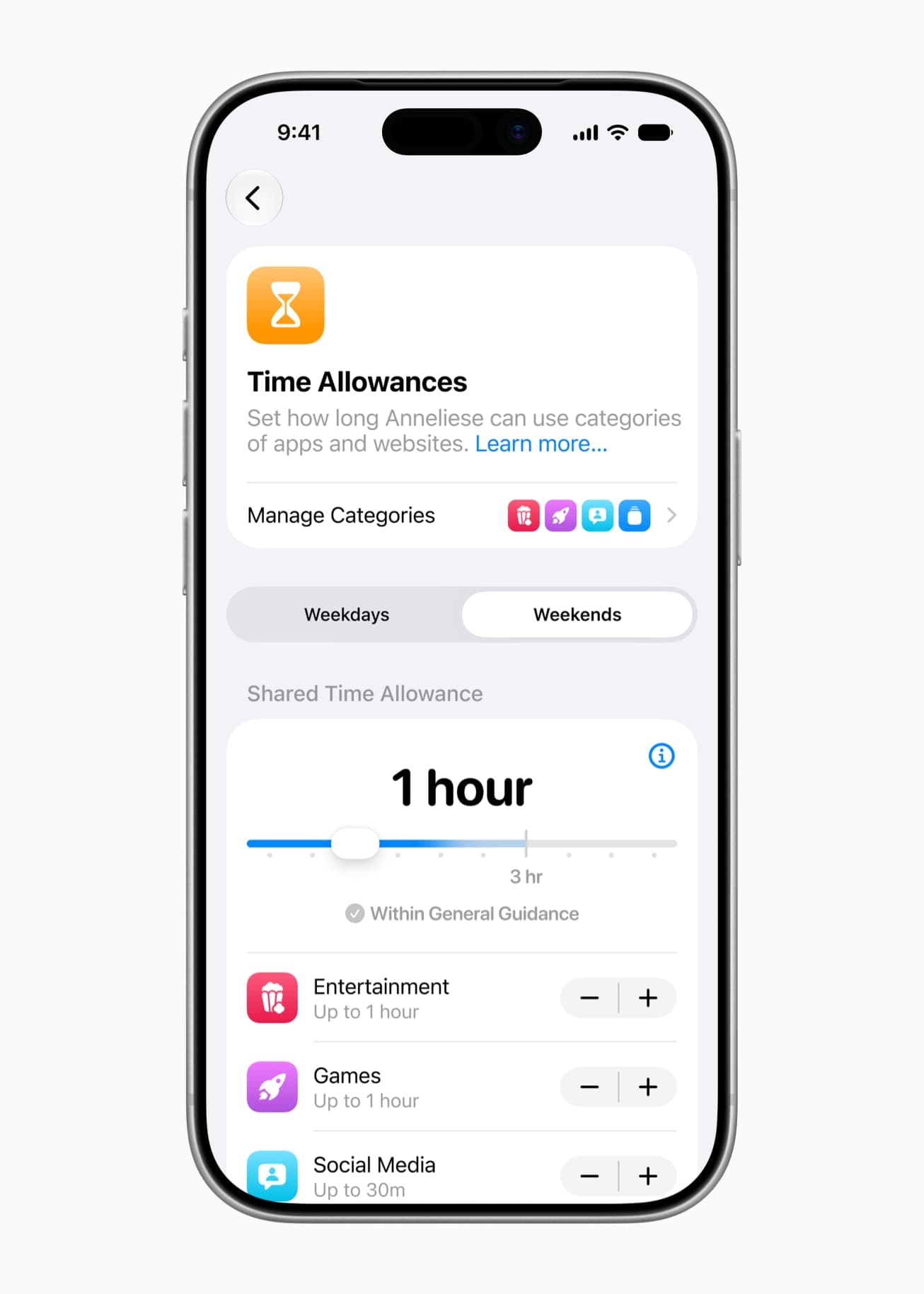
If children or teenagers use your app, or it belongs to one of those three categories, these limits now reach it through the system rather than through anything in the app. It is worth knowing which category the app falls into and how it behaves when a parent's limit runs out.
Faster, according to Apple
Apple reports up to 30 percent faster app launches on iOS 27 and more stable, efficient search. This is Apple's figure; a particular app's startup time still depends on what it does at launch.
What to do now
- Test the current app. Build on iOS 27 and check both ends of the Liquid Glass slider.
- Review App Intents. List the tasks users would ask Siri to do and see which already have intent definitions.
- Choose where AI runs. Assess Foundation Models or Core AI for on-device work, cloud requirements and eligibility for free Private Cloud Compute access.
- Plan for regional availability. Don't make an EU iPhone journey depend on Siri AI being available. Existing Shortcuts, Spotlight and widget integrations can still be useful.
- Check child accounts. Test time allowances and restricted access if children use the app.
If you would like a second opinion on what iOS 27 means for a specific app, the mobile app development page describes how we work, and a short summary through the contact page is enough to start.
Sources
- Apple Newsroom, 8 June 2026: Apple unveils next generation of Apple Intelligence, Siri AI, and more
- Apple Newsroom, 8 June 2026: Due to DMA, Siri AI delayed in EU for iOS 27 and iPadOS 27
- Apple Newsroom, 14 September 2026: Major updates for Apple's software platforms are now available
- Apple Newsroom, 14 September 2026: Siri AI, a profoundly more capable and personal assistant, is here
- Apple Developer: What's new in iOS
All images in this article are from Apple Newsroom.

Zdeněk DolákFounder of Tolaron. Spent the years before it building payment software.